Description
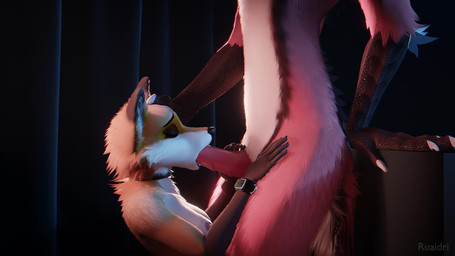
Fox girl is back! But this time it's because I had something I had to test and she seemed as good a test subject as any.
I might have made a bit of a breakthrough in making cum look good in Eevee! Well, better, anyway. I was so excited to try it out I had to whip up this animation super duper fast to try it on, so forgive any sloppiness there, foxgirl is only taking a load to the face so I can play with some new tech.
See, making good looking fluids in a real-time renderer is tricky. The problem is that, as a translucent fluid, cum has variable opacity- you'd expect a thin layer of it to be virtually transparent, but a thick glob of it to be a nice milky white. There's a tool for doing this, volumetric shading. See, normally when we apply a shader to an object ("shader" being the thing what makes a thing look like it looks, yeah?), we're applying it to the object's [i]surface.[/i] If you make an object shiny, you're making it's [i]surface[/i] shiny, for example. When you try to apply transparency to an object's surface, you just get a uniform transparency and it looks bad. It's what makes eevee fluids look like... y'know, that. Like they do. Fortunately, it's also possible to shade an object's [i]volume[/i] (it's insides), which is exactly what we need. Unfortunately, while this is possible in eevee it's either bugged right now or not up to the task (or I can't figure out how to work it after the recent update) because when I try I get really broken results that don't show half the fluids and don't look all that good. Volumetric shading is out.
But I think I found a workaround! Using geometry nodes, a "raycast" node specifically, I can fire a ray from every point of the geometry directly away from the camera, targeting [i]itself[/i] and keep track of what it hits, and more importantly, the distance to that hit. That distance basically acts as a sort of screen space "thickness" effect, and that can be piped into a shader and use for effects like... what you see here! It's not perfect... ideally it would actually use refraction instead of transparency, but that also seems to be bugged at the moment (it has a habit of showing me lights through solid objects, which is a big of a problem when you want rim lighting on your characters), but once/if that hopefully gets fixed this should look even better. There's also a bit of an art to what I've come up with here, it's not just fire and forget, you really gotta finesse the numbers for a while. I might have allowed it to be a little [i]too[/i] transparent here.
Still, personally I think this turned out pretty darn good. Since I no longer have to fight with the fluids being a generic semi-white shade all over, I don't have to have the fluids turn everything they hit white in order to blend them in better, they can actually [i]wet[/i] the surface instead.
Basically, long story short- not perfect yet, but much better I think? What do [i]you[/i] think?
- Rating
- E
- Score
- 4769
- Favorites
- 8690
- Comments
- 28
- Uploader
- Ruaidri
- File
- jpg 455x256
- Duration
- 29.209s