Description
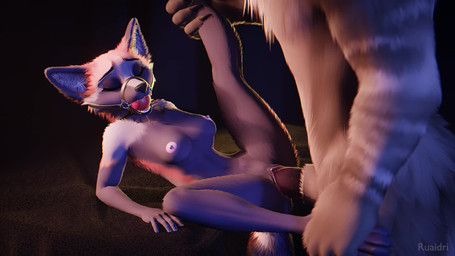
After the "previous animation":https://www.furaffinity.net/view/58137564/ I had some further ideas on how to improve the look of my fluids that I wanted to give a shot, so I tossed together another quick animation to try them out on.
Alright, look- this one's a bit rough. I couldn't see how jittery the fluids were being until the final render, so you'll just have to ignore that for now... that's caused by the simulation itself, not the visual trickery I'm throwing onto the simulation to make it look like cum. We're worried about how the fluid [i]looks[/i] here, not how the fluid [i]moves[/i]. Alright? This was a quick test thrown together in literally a day and I had to delete all the fluid simulation stuff in order to get this to render because it was crashing otherwise so I can't go back and give it another try without setting it all up from the ground up again, which I'm just not doing so we're all going to have to live with the jittery fluids. That's not the point here, it's how they [i]look[/i] that matters. So, with that caveat out of the way...
I am [i]very[/i] happy with how this is turning out. After some thinking about it, I realized that the big remaining sticking point with my previous attempt was the there was still a very stark boundary between the fluids and the surface they're landing on. A big reason for this is that simulated fluids have a minimum thickness they can achieve, which is just down to the particle size used in the simulation itself. Or the cell size? Look I'm not a programmer I don't know the details here, the main point is fluids can only spread out so thin. Real fluids, on the other hand, can spread out basically infinitely and form a nice thin sheet. I realized that I could tweak my nodes setup to have the fluids detect the nearest collider and kind of push them toward it, allowing me to really flatten out the fluids when they come into contact with a surface. With some further node trickery I can have fluids that are spread thinly against a surface inherit the normals of said surface, and also push them to become more transparent, effectively allowing them to fade out into the surface instead of having that harsh separation seen in the previous video.
Will still need some practice dialing in the exact numbers, I think I could have pushed the flattening effect a little harder, but I think I got 'er. Finally I think I know how to make good looking eevee fluids- well, simulation problems aside!
If you're having trouble spotting the difference, probably the easiest place to tell is at the end here- there are a few globs running down her side between her armpit and breast leaving a nice trail of wetness, and you can't really see where the fluid ends and the dynamic painting begins. Compare that to the end of previous animation, where at the end you can very clearly see the glob of fluids underneath her eye just sliding around on top of the dynamic painting. That's the difference. It's small, but also huge, if that makes sense- [i]all[/i] the fluids look better as a result of it, even if it's hard to point to a specific time or place to show it off.
I hope I'm not being crazy here and that you agree that this looks better, despite the shitty fluid sim. x3
- Rating
- E
- Score
- 3362
- Favorites
- 5959
- Comments
- 23
- Uploader
- Ruaidri
- File
- jpg 455x256
- Duration
- 36.209s