Description
I've made a huge update to my geometry nodes fur system, and I think it's ready to be released, so here it is! https://www.patreon.com/posts/80457212 (It's not paywalled, just a convenient place for me to store it)
You might be wondering "Why would I use your fur setup when blender has just added in a bunch of hair nodes natively into blender?"
Two reasons: Firstly, in terms of actually creating curves-based fur on your model, my setup is an all-in-one situation. You plop on the hair interpolation node and all the settings you should need are right there, just like the old fur system. There are some additional nodes for the colour and normal transfer, but the actual fur stylizing is all in one place. No need to know anything about geometry nodes other than how to add a modifier and select the right node setup from a list.
Secondly, there are no physics enabled for curves-based hair yet. There's a hacky way to enable it, which I go over in the how-to included with these nodes, but that hack is entirely incompatible with existing hair nodes. They all cause problems, so I created a system that can be used with the physics hack without causing problems, which makes curves based hair actually usable. You can see an example of that mane in motion here! https://www.furaffinity.net/view/51740291/ (nsfw)
You might be wondering "Why should I use the new curves-based hair at all when the old system is still there?" and honestly, if the old version isn't give you any troubles, you shouldn't! Stick with the old version for now if you can. However, my fur shading method depends upon being able to transfer the normals from the model to the hair, and currently for "because blender" reasons, that's only possible on curves based fur, and so that's what I use. If you want to play with the same style, you'll have to use it too.
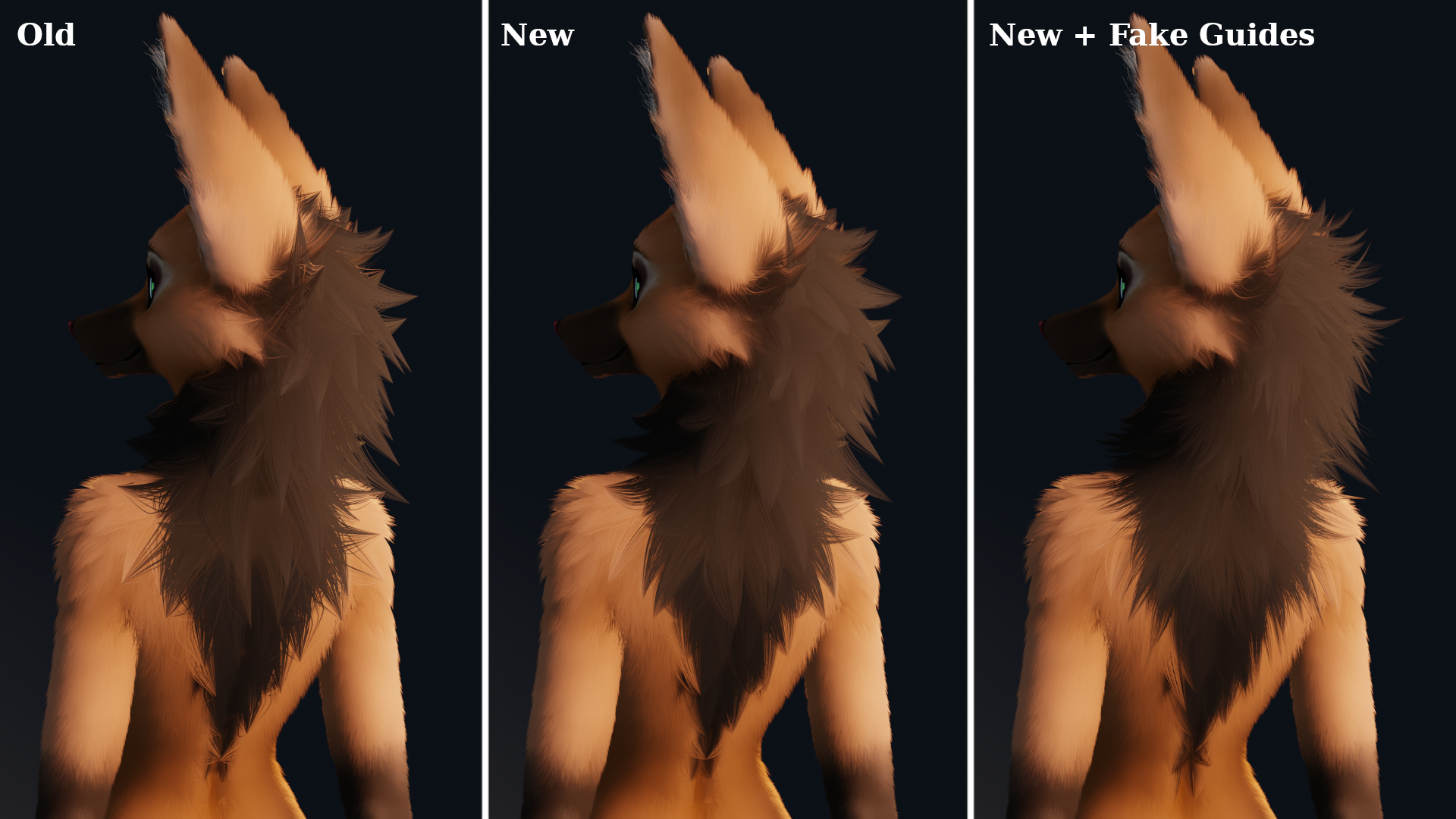
This is the second version of my nodes setup; the biggest changes from v1 are that child curves are now interpolated, which solves a lot of the messiness that the old version tended to cause. I also created a system for being able to add fake guide curves for procedurally generated clumps, so you're no longer stuck with a 1-1 guide curve to clump ratio. I also fixed a lot of mechanical problems with the old one; this one should now be considerably less glitchy and way more stable under the effects of animation. As of yet I haven't run into any problems when using it in videos.
In my opinion, this setup has now gone from "Just barely usable but better than nothing" to "Actually kinda good". If you decide to give it a shot on your model, let me know how it goes, and if you run into any troubles let me know that too so I can fix it! And if you happen to be someone familiar with working in geometry nodes and can improve the system somehow, by all means feel free to poke around and let me know what you come up with.
- Rating
- S
- Score
- 332
- Favorites
- 359
- Comments
- 3
- Uploader
- Anonymous16
- File
- jpg 455x256
- Children
- Yes, active