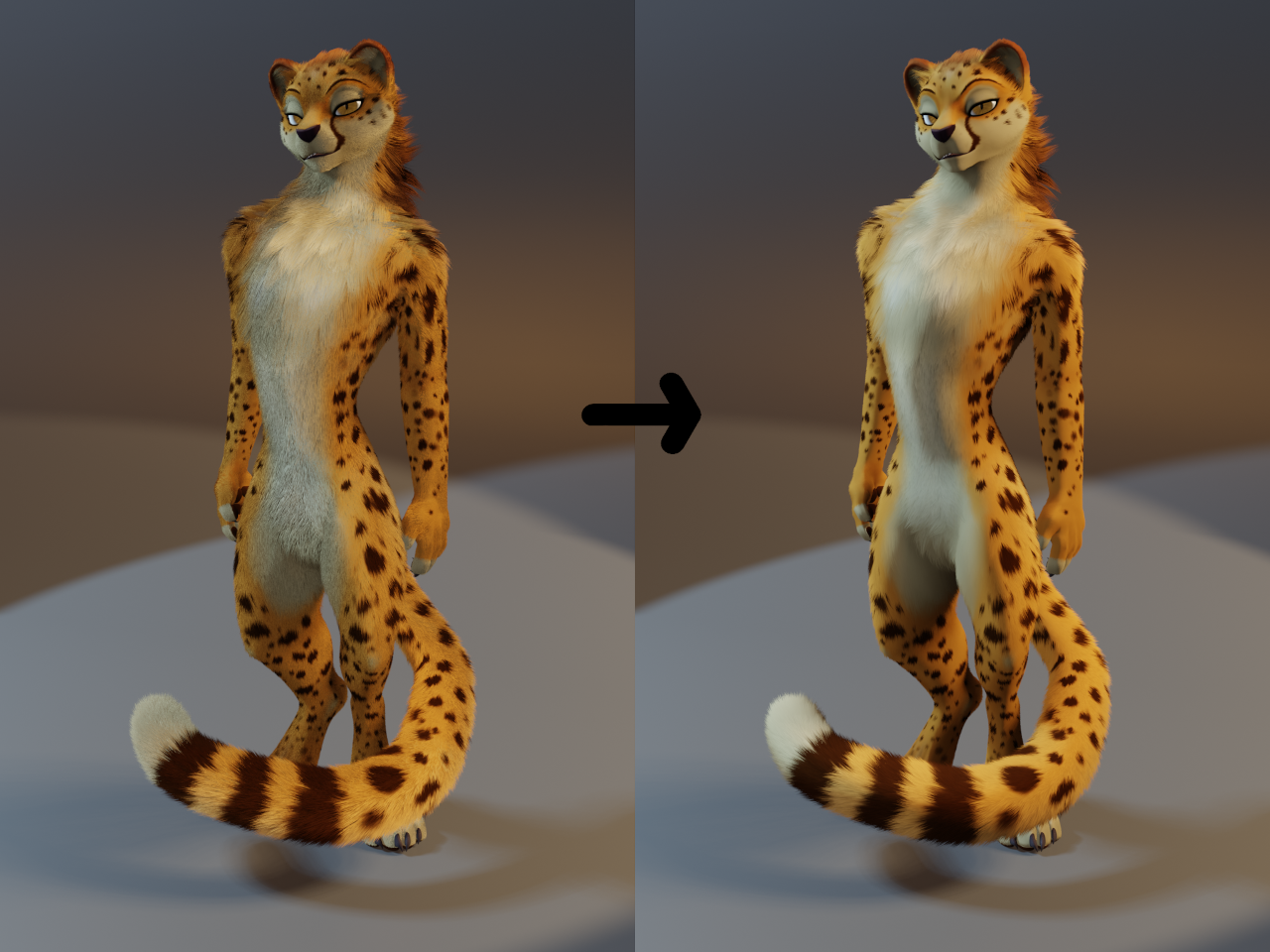
Description
Y'all may remember my recent plea to the community for help with a problem I've been having with Eevee's fur lately, and a suggestion for a possible fix if someone had the knowledge how to implement it; well, Sentharn stepped up to the plate in a huge way and made it a reality! (Actually a lot of you all tried to help out and thank you so much for that! Sen just happens to be the one who brought it to the finish line.)
https://github.com/sentharn/encode-normals
This is an addon for blender that allows you to transfer the normals from your base character mesh to the fur, resulting in a considerably smoother look. This is a common practice in video game and anime styled characters when using mesh based fur, but blender natively had no way to do this transition to particle based fur. Thanks to Sen, now it does!
I'm not saying this is strictly better, if you don't like it, you definitely don't have to use it, but it does solve a lot of the problems I had with eevee's native fur (hairs changing colour depending on the angle you look at them, having to use massive amounts of hairs to cover an area, etc) and personally I really enjoy the smoother look it gives characters. Feel free to give it a try! Another advantage is this method of rendering fur can use far fewer, thicker hairs and runs with shadow casting disabled which makes renders run dramatically faster, more than making up for the few extra seconds the script itself adds.
The link to the addon explains how to use it, but here's some stylistic advice you can play around with based on my early experimenting:
For the smoothest results, consider disabling AO, and turning off the shadow casting of your hair material.
Best used with just diffuse materials anywhere you want fur; trying to add in shine and other effects can have strange results (but do play with it if you want, and let me know if you find anything that looks nice!)
To really blend the hairs in with the surface, mix your final hair material in with a transparent material using a curves info > intercept node, and use a colour ramp to tighten up the transition so just the very base of the hairs are transparent. This makes the hairs kind of melt into the surface rather than suddenly hard stopping
Following the above advice, the results can be almost a little too smooth, so you can add back in some fur texture by mixing in a lighter version of your fur colours, once again using a curves info > intercept node so it only applies to the tips, and using a vertex group to control where this lightening happens. I find it works best to add it to any really long clumpy hair to help it stand out a bit, but in this example I also added a little to the cheetahs belly to make it look fuzzy. Also, this method of fur rending picks up the colours underneath extremely well, so just manually painting in some stylized fur effect can also give good results. Play with it and see what you like best!
Massive super duper thanks to Sentharn for allowing me to finally play around with this style! And now you can too. And feel free to show us if you make anything cool using it! I think we'd both like to see what comes as a result of this new method.
Character belongs to Pojodan, I just happened to have recently updated their model to fit the new style so it was as good an example to use as any!
- Rating
- S
- Score
- 321
- Favorites
- 306
- Comments
- 8
- Uploader
- Anonymous16
- File
- jpg 341x256